Jaguar Land Rover (JLR) Pivi Pro Release Notes Archive

Our dedicated section for Pivi Pro release notes, which includes all the updates and improvements made to the infotainment system.  Regularly checking these release notes, users can stay up-to-date with the latest features and functionalities of the Pivi Pro system.

The Jaguar Land Rover (JLR) Pivi Pro system is equipped with advanced features that allow users to stay connected and updated while on the road. The latest Pivi Pro release notes provide detailed information about the changes and improvements made to the system. The notes include details on new features, bug fixes, performance enhancements, and more.

I’m going to do my best to keep a running list of the versions and their official changes.

You can find them linked below and via the Infotainment Release Notes at the top of the site.

Pivi Pro Release Notes
https://www.ovalnews.com/category/pivi-pro-release-notes

InControl Touch Pro Release Notes(for old times sake, ICTP gang gang):
https://www.ovalnews.com/category/incontrol

Land Rover has officially started posting release notes too.  You can find them here:
https://www.landrover.com/ownership/software-update

If I’m missing any and you have the details, please send them over.

Here are some of the JLR requirements for a successful update, as of 9/2024:

TCU must be activated
The vehicle must have a good network connection.
BEV and PHEV vehicles must not be charging the main battery (not 12v).
BEV and PHEV vehicles, main battery should be more than 25% charged.
The vehicle must be locked.
The windows must be fully raised and calibrated.
The 12v battery must have sufficient Ah to complete the campaign.
There must be no scheduled (timed) climate event.
Remote start must not be active.
The hazard warning lamps must not be on.
The alarm must not be triggered (active).
The brakes must not be too hot.
External temperature should not be below – 10C.

2024-09-30T14:05:51-04:00February 8, 2023|

2012 Land Rover Discovery 4 Brochure, interesting updates! #landrover #discovery

A loyal reader, Patrick, sent me the scoop on these 2012 brochures.  They were definitely news to me!

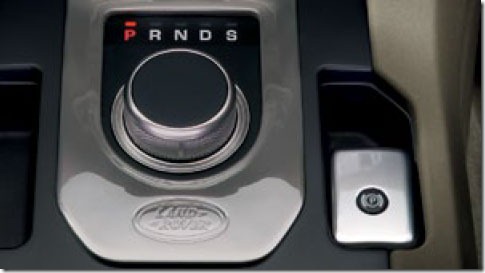
We’ll start with the 2012 Discovery 4, which gained, along with some other tweaks, the rotary shifter along with updated Terrain Response controls, the Range Rover Evoque’s touch screen system, what look like huge rear seat entertainment screens & the updated smaller Smart Key.  I’m sure some of this stuff may be old news to people already driving Evoques in the UK.

disco-centerstack-1

I like what they did with that Land Rover branding

disco4-rotary

Also related to the rotary shifter, a new option I haven’t seen before, Drive Select Rotary Shifter Upgrade, requires Leather Drive Select Top Cover.

disco-leather-rotary

Here’s that new Smart Key.  Again probably old news to Evoque owners, I noticed this key in a Land Rover press photo from a couple of weeks ago but he’s a better view.

disco-smartkey

Finally a shot of the larger RSE screens:

disco-rse

You can download your copy of the entire brochure, right here:

http://landrover.tagworldwide.com/discovery/120/disco_120_en_GB.php

Thanks again Patrick!!

2011-09-28T22:28:28-04:00September 29, 2011|

You’ve got to love Land Rover marketing… #landrover

What started in 2011 in the Europe diesel models continues in 2012 with the Range Rover Sport & Discovery 4 getting the Rotary Shift Selector.  And with the main gear selector going rotary, people would start to get confused between that knob and the ubiquitously round Terrain Response knob.  The Evoque’s got the same thing.

But now in the 2012 Discovery 4 Press Release, we get an actual name for the horizontal layout that replaced the Terrain Response Knob.  Picture below shows the Evoque, it’s slightly different in the Range Rover.

To avoid confusion, the Terrain Response Rotary Switch is replaced by a new Terrain Response Optimisation Switch.

2011-Range-Rover-Evoque---Interior-(4)

Interesting stuff, huh?  HA!

2011-07-07T08:17:00-04:00July 7, 2011|

Ford’s Terrain Response Icons

I know I already posted about this back in April:

Permanent Link to “We wish our friends the best of luck with their new vehicle”

But now that the car is officially out there, I just had to reference it again – Ford couldn’t be bothered to even use their own icons for their Terrain Management System:

63-2011-ford-explorer

therangerover_079_25ac

The only difference I see is the lack of “Grass” on the Grass/Gravel/Snow setting for the Explorer, but Ford does still call the mode Grass/Gravel/Snow.  And I’m sure their Rock Crawl icon would have been the same if they could do it.

2010-07-31T19:28:50-04:00August 1, 2010|
Go to Top